I Didn't Need a Better Webcam. I Needed Better Light.
For months I assumed I looked bad on video calls because my webcam was bad.
That’s the obvious conclusion, and it’s the one the internet is very happy to sell you. Buy a 4K webcam. Buy a mirrorless camera and a capture card. I got fairly close to doing exactly that.
Then I actually looked at the footage. The camera wasn’t the problem. I was sitting in a room lit by a ceiling light behind me and a monitor in front of me, which is a combination that makes anyone look like they’re delivering bad news. A better sensor would have captured the same bad lighting in more detail.
So I bought a light instead of a camera — a Zhiyun Molus M60W — and it fixed the problem immediately. Same webcam, same room, completely different person on the call.
The new problem
The light was great. Using it was not.
Every call started the same way. Join the meeting. Notice I look terrible. Pick up my phone. Open the ZY Vega app. Wait for it to find the light over Bluetooth. Tap it on. Adjust the brightness because it remembered something from a previous shoot.
And then at the end of the day, find the light still on, because remembering to turn it off is exactly the kind of thing I don’t do.
It’s a small friction. But it’s a small friction that happens several times a day, every day, and it meant that half the time I just… didn’t bother. I’d sit through a call badly lit rather than do the thirty-second phone ritual. A tool you don’t use because it’s slightly annoying to use is not really solving your problem.
What I actually wanted was for the light to not be a device I operate. I wanted it to be part of the room — something that’s simply on when I’m on camera, the way a lamp is on when you flip the switch.
What I built
The light now follows my Mac’s webcam.
Camera turns on, light turns on, at the brightness and colour temperature I’ve chosen. Call ends, camera turns off, light turns off. I don’t touch anything. My phone stays in my pocket. I have not opened the vendor app in weeks.
It keys off the camera itself rather than any particular application, so it doesn’t care whether the call is in Google Meet, Zoom, FaceTime, or a screen recording. If the little green light next to the webcam is on, the key light is on. That turned out to be exactly the right thing to hook into — it’s the one signal that’s always true regardless of which app I’m using.
There’s also a menu bar panel, for when I want to control the light directly without reaching for anything:
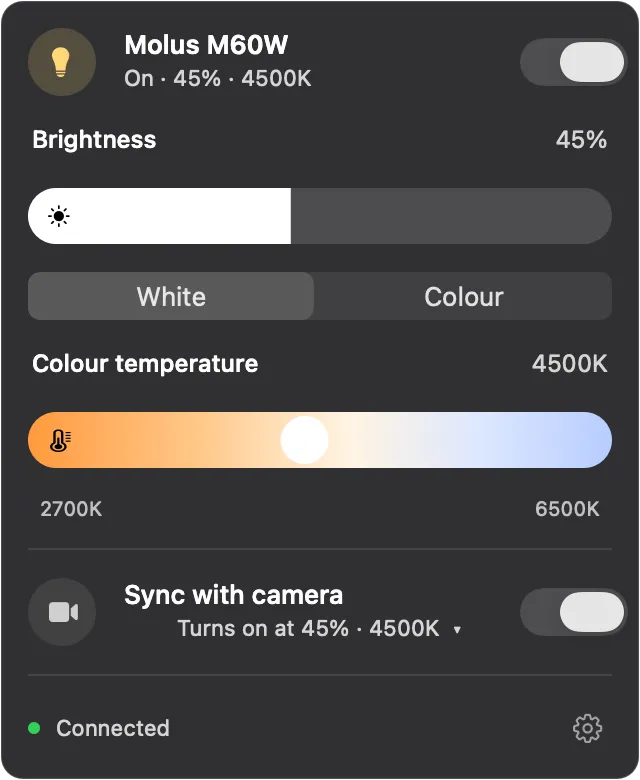
Brightness, colour temperature on a warm-to-cool gradient, and the on/off state of the light. Everything I actually adjust, one click away.
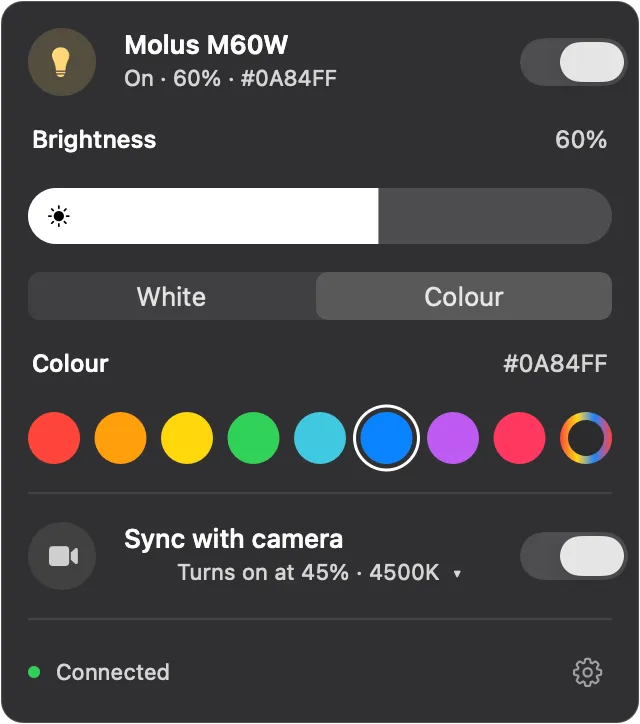
It does colour too, since the M60W is RGB:
And the part that matters most — the preset the light uses when the camera comes on. I set it once, and every call since has started correctly lit:
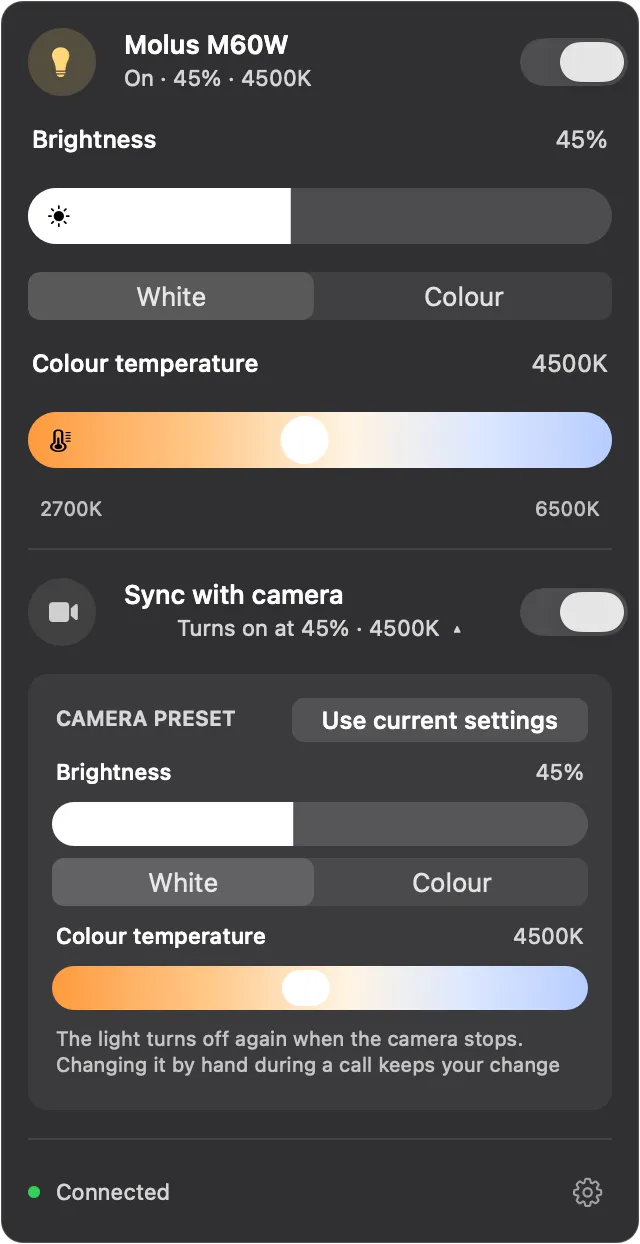
One detail I care about more than I expected: if I turn the light off by hand in the middle of a call, it stays off. It doesn’t fight me and snap back on. Automation that overrules you is worse than no automation, because then you’re managing the automation instead of the thing.
Why this took a while
Zhiyun doesn’t publish a protocol for these lights. There’s an app, and that’s it.
So the work was figuring out how the app talks to the light — what it says over Bluetooth, and in what shape. That part was genuinely interesting, and I’ll write it up properly another time, because a couple of the details are the kind of thing that costs you an evening and then makes you laugh.
The short version: the light accepts commands that it then completely ignores unless you’ve introduced yourself first, in a specific way, and there’s a command whose name means the exact opposite of what it does. Both of those fail silently. Nothing errors. The light just sits there, politely acknowledging instructions it has no intention of following.
That’s most of what reverse engineering actually is. Not cleverness — just being systematic about which of your assumptions is the wrong one, and being willing to accept that the thing you were most sure about is the thing that’s lying to you.
Should I release it?
Right now this runs on my machine and solves my problem, which was the entire goal.
Making it something other people can use is a different and much larger job — packaging it, handling lights that aren’t mine, models I don’t own, firmware I can’t test against, and every way a Bluetooth connection can fail in someone else’s room. That’s real work, and I’d only want to do it if people actually want it.
So: if enough people reach out, I’ll make it public. If you’ve got a Molus — or any Zhiyun light — and you want your key light to follow your camera, tell me. If a handful of people ask, I’ll clean it up and put it on GitHub.
And if you’re currently shopping for a better webcam: check your lighting first. It’s cheaper, and it’s almost certainly the actual problem.
Cover photo by Clint Patterson on Unsplash.